
Income and expense capture
Enter or import what came in and what went out, with notes and attachments that stay attached to the record.
The everyday ledger: what came in, what went out, which invoice is still open, and whether the month is closed.
Enter or import what came in and what went out, with notes and attachments that stay attached to the record.
Keep an issue date, due date, line items and payment status for every invoice you raise.
Bring in a bank export and match each line to an invoice, a receipt or a category rule.
Build the categories your business actually uses, then let rules apply them to repeat payees.
Store receipts and contracts against the ledger entry, so a query six months later is answerable.
Lock a period once it is reviewed. Locked months stay locked unless an owner reopens them.
The working month

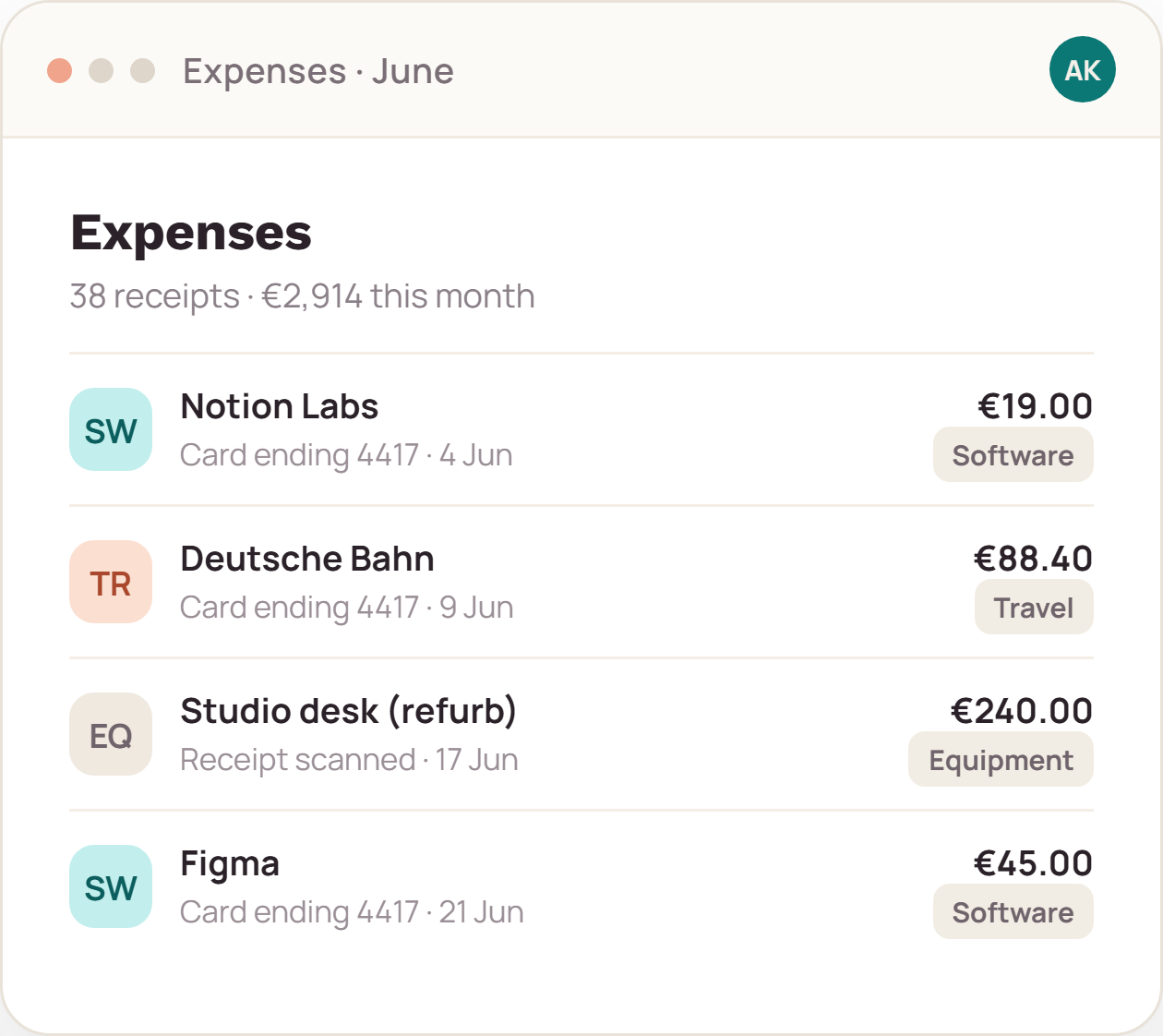
Detail that survives an audit
A figure without a receipt is a guess. Each entry can carry the document it came from, the date it was paid, the account it left, and the category you assigned — visible in the same row, years later.
What we do not do
Core subscription is a record-keeping tool. Your bank, your customers and your accountant stay exactly where they are.
FAQ
Yes. VAT fields stay switched off until you enable them, and nothing in the ledger requires a VAT number.
Nothing breaks. Bank imports can be backdated, and the month simply stays open until you close it. Period locks are a choice, not a deadline.
No row limit is applied to any edition. Practical limits are set out in the terms of service as fair-use guidance, not metering.
We will set up a walkthrough workspace for your business and answer questions as we go.